
Operator dashboard
The view from behind the pass.
One screen, in your browser, with the live order queue, the day's revenue, and the state of every table. The same dashboard runs the menu, the staff, the promotions, and the reviews.

—
What a manager actually looks at during a shift.
Not a dashboard of dashboards. A working surface, the orders flowing in, the revenue against last Friday, which tables have been sitting too long, which staff member is closing the most tickets.
It is built to be glanced at between covers, not studied in an office. The numbers that change during service are the ones that are big. The ones that change between services are tucked away.
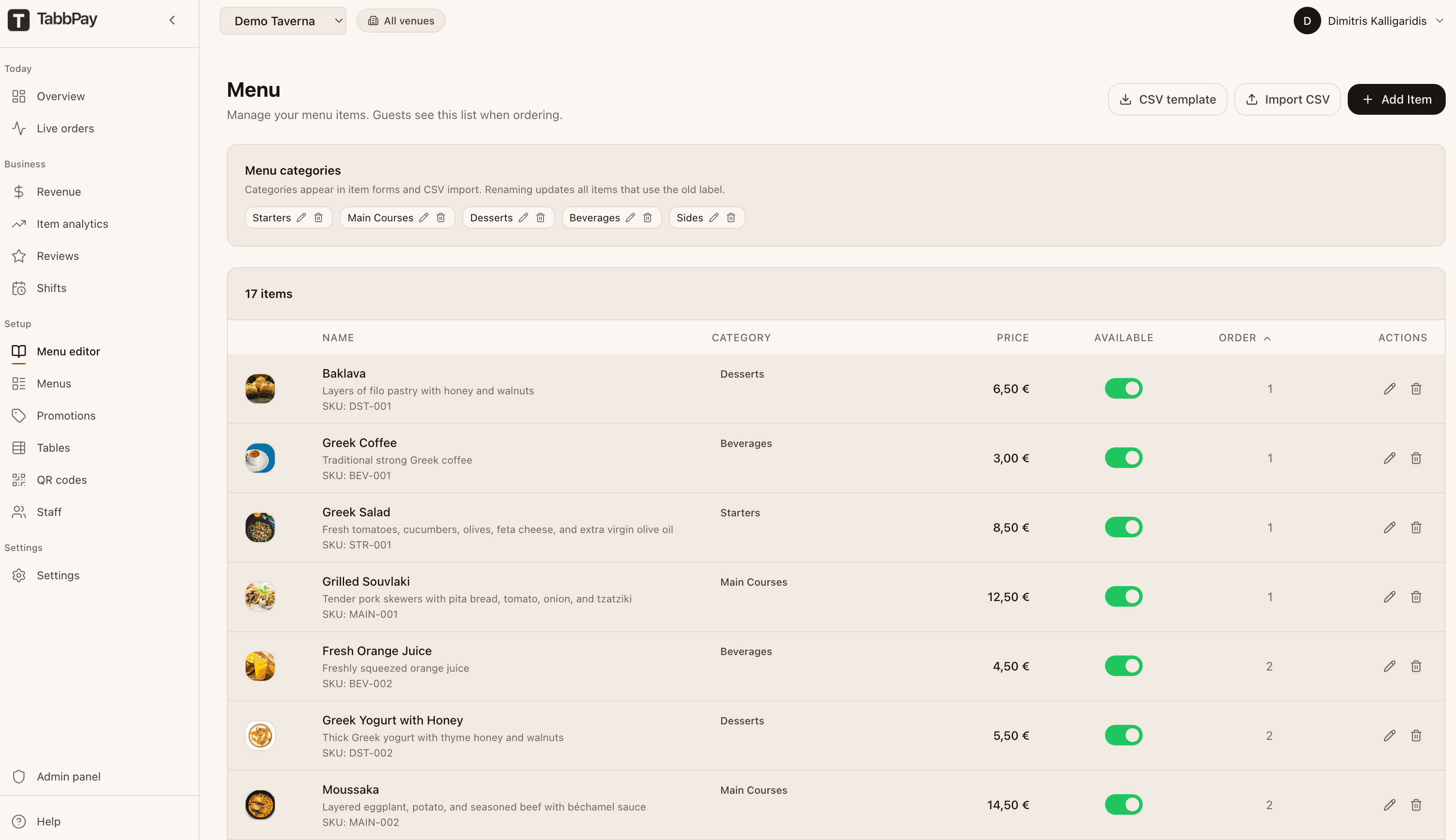
Menu items. The catalogue your kitchen actually cooks, available or not, with prices, photos, and modifiers.
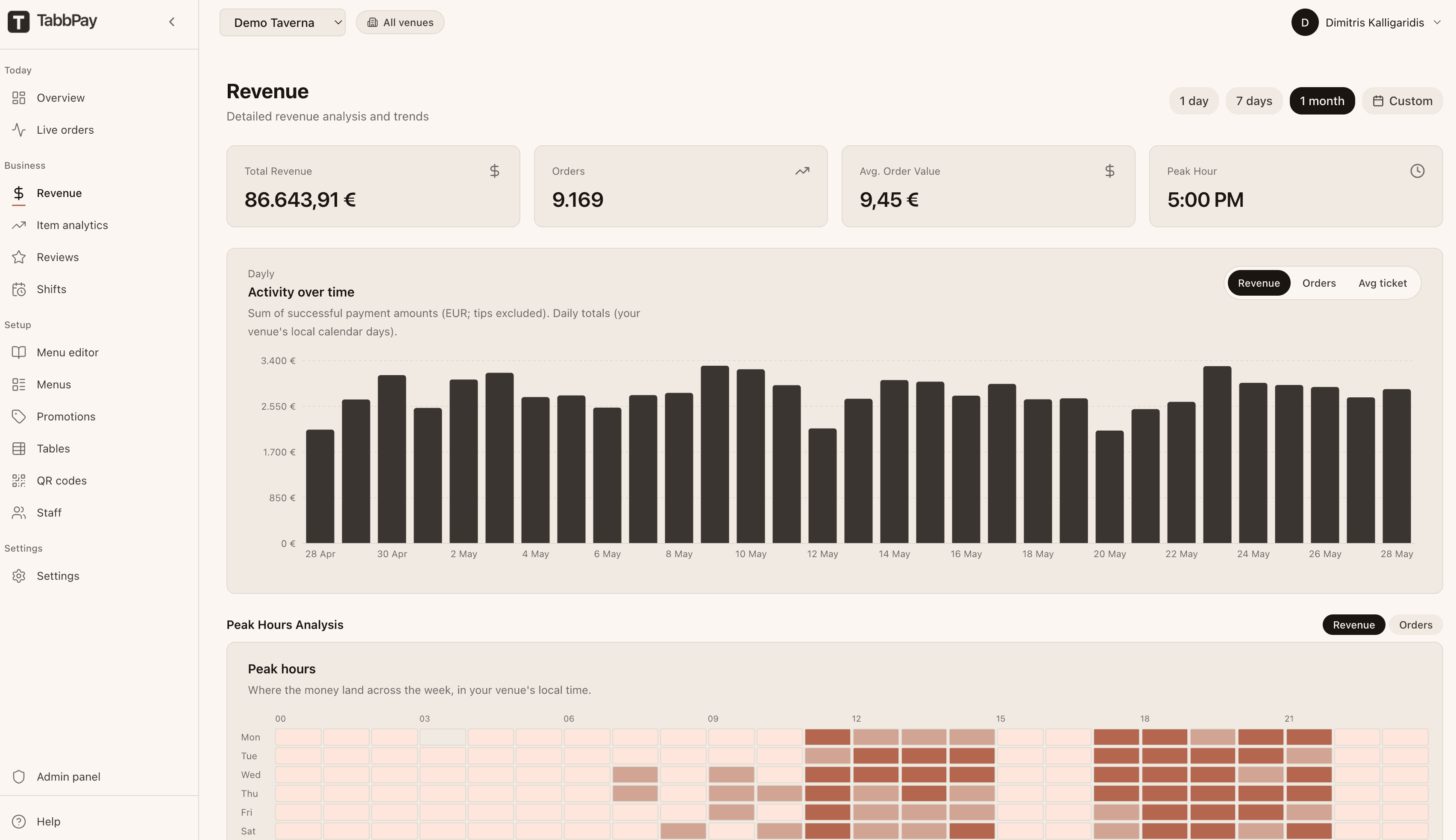
Revenue analytics. Hourly chart against the comparable day last week. CSV export below.
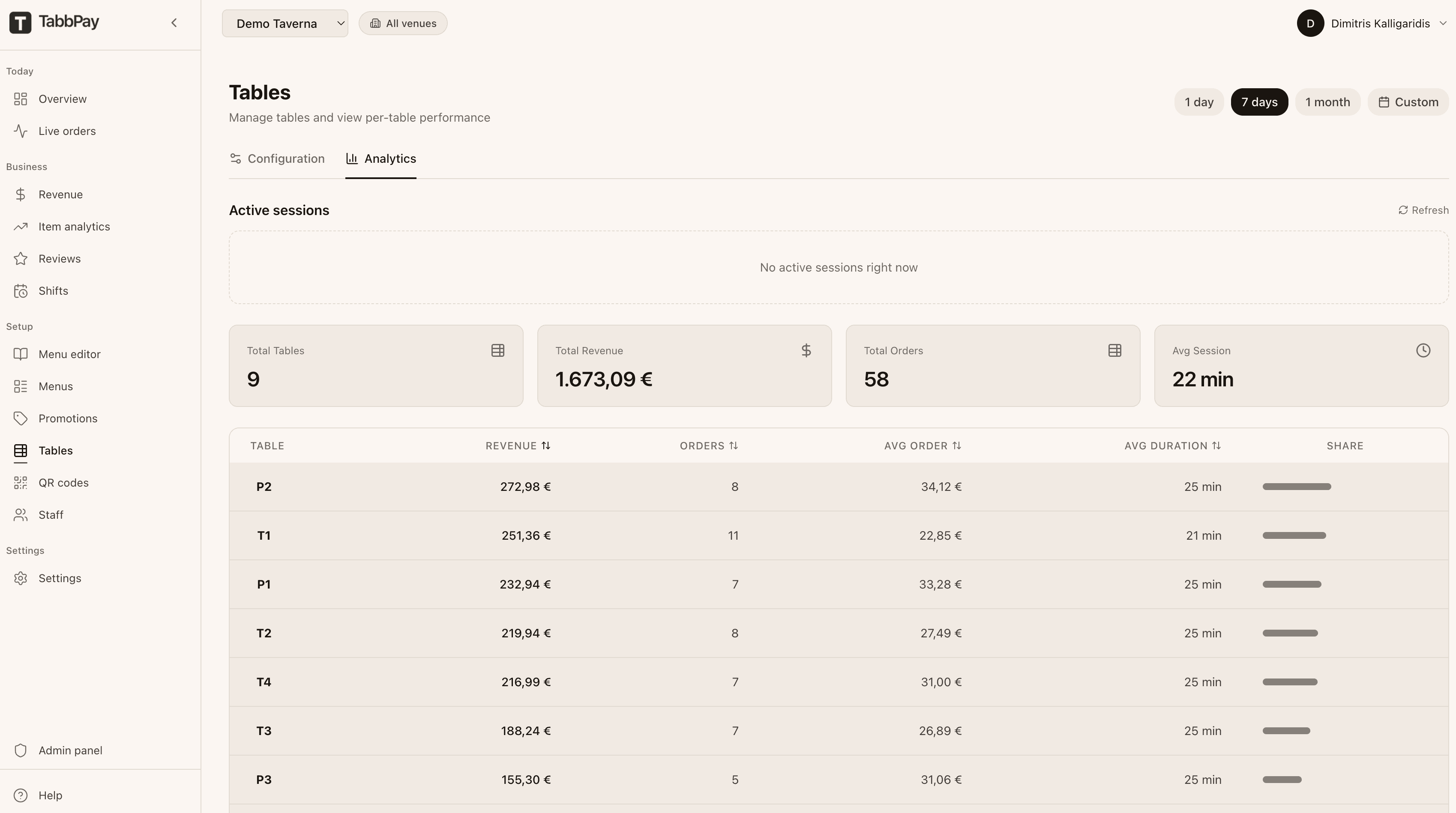
Tables. Occupancy, time seated, revenue per table for the shift.
What is on this surface
Live orders
Real-time stream of incoming orders, with status (pending, in kitchen, delivered, paid) and ticket details.
Revenue today
Hourly revenue chart, total, average per cover. Period-over-period comparison built in.
Tables
Occupancy, time seated, revenue per table. The bottleneck table is easy to see.
Top items
Which items moved tonight, which did not, which had cancellations. Useful for the briefing before the next shift.
POS health
Green when your POS is connected and ingesting. Yellow when an order has not been acknowledged within 30 seconds.
Real-time order feed
Server-sent updates so the view does not stale. You do not have to refresh.