
Order & Pay
Your guest's phone is the order terminal.
One QR per table. The guest scans, browses the menu in their language, orders, splits, tips, and pays. No app to install. No terminal walked to the table. The order arrives on your side and in your POS.
—
The slowest minutes of the night.
Asking for the bill, waiting for it to come, splitting it, paying, waiting for the change. Operators do not lose covers to the kitchen. They lose covers to that sequence.
TabbPay moves the whole sequence to the guest's phone. They scan when they sit down, see the menu in Greek or English, add what they want, split however they want, and pay. The table is free the moment they stand up.
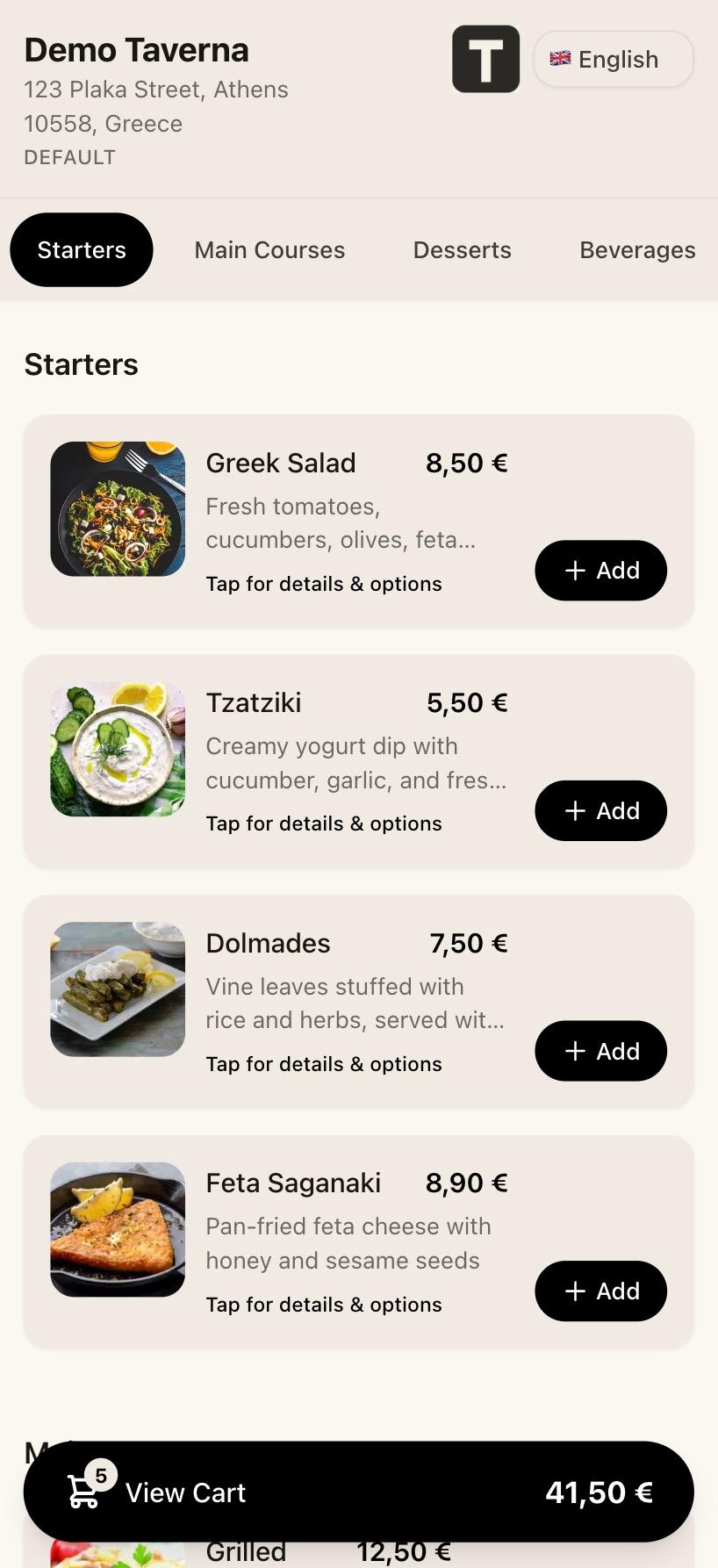
The menu opens in the guest's language. Real prices, real photos.
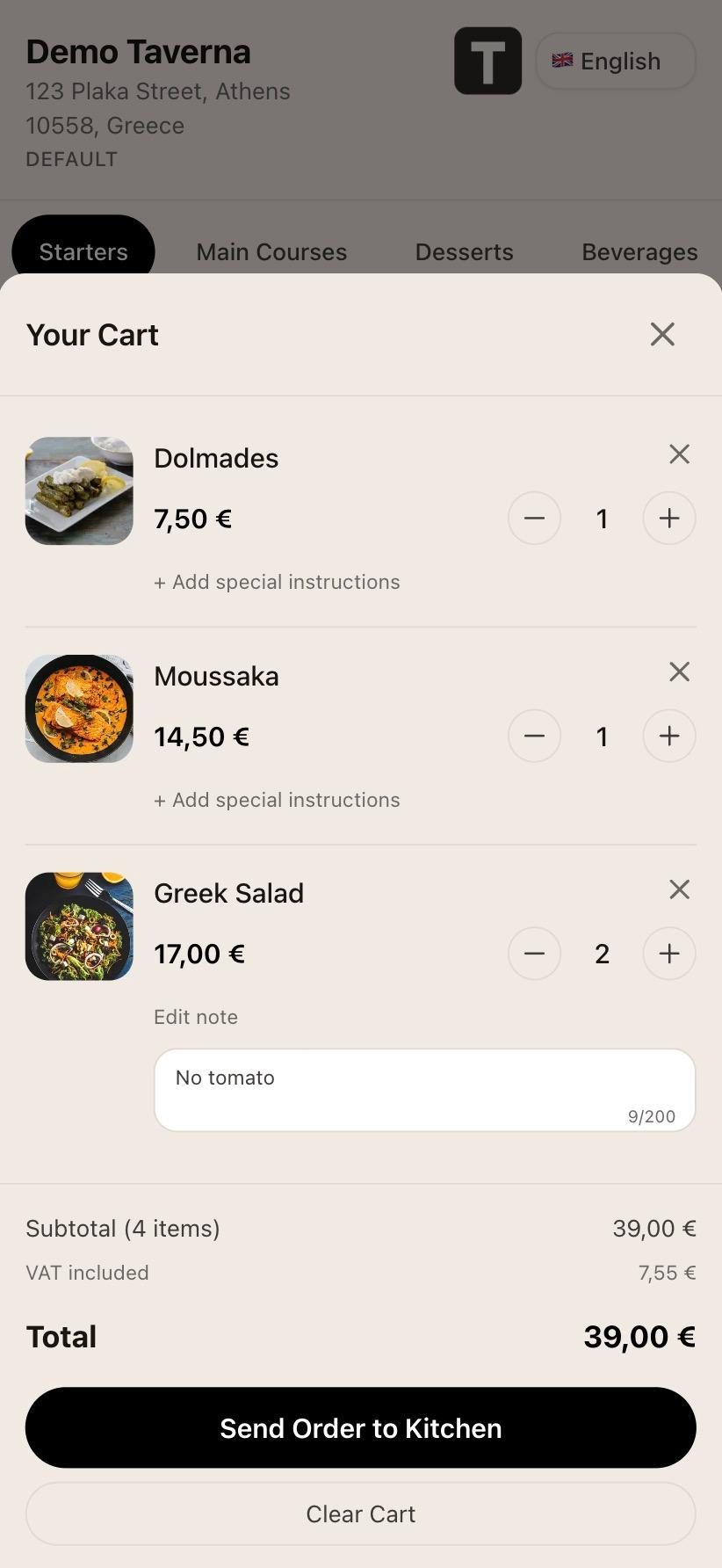
Order summary. Modifiers and allergies travel with the line item.
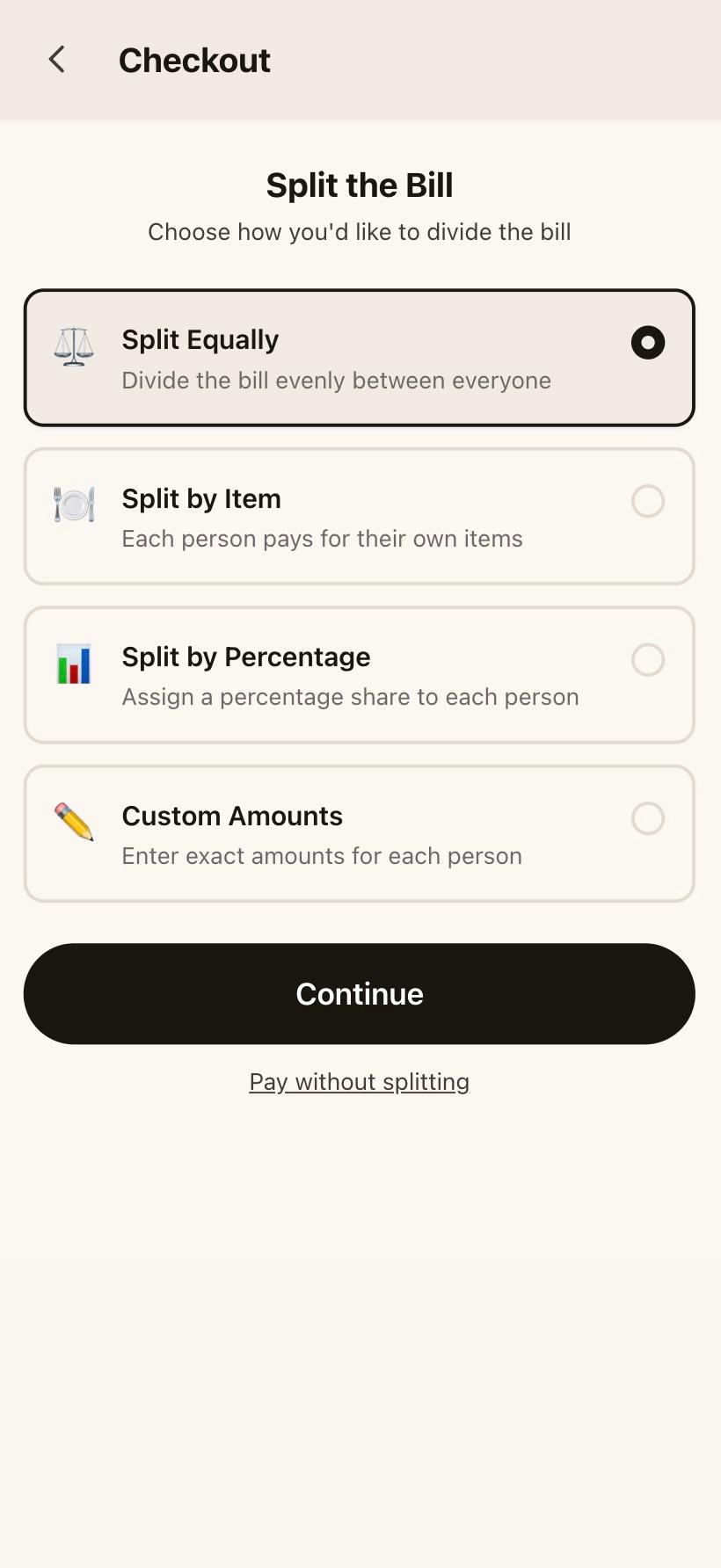
Splitting the bill by item. One tap each, no calculator.
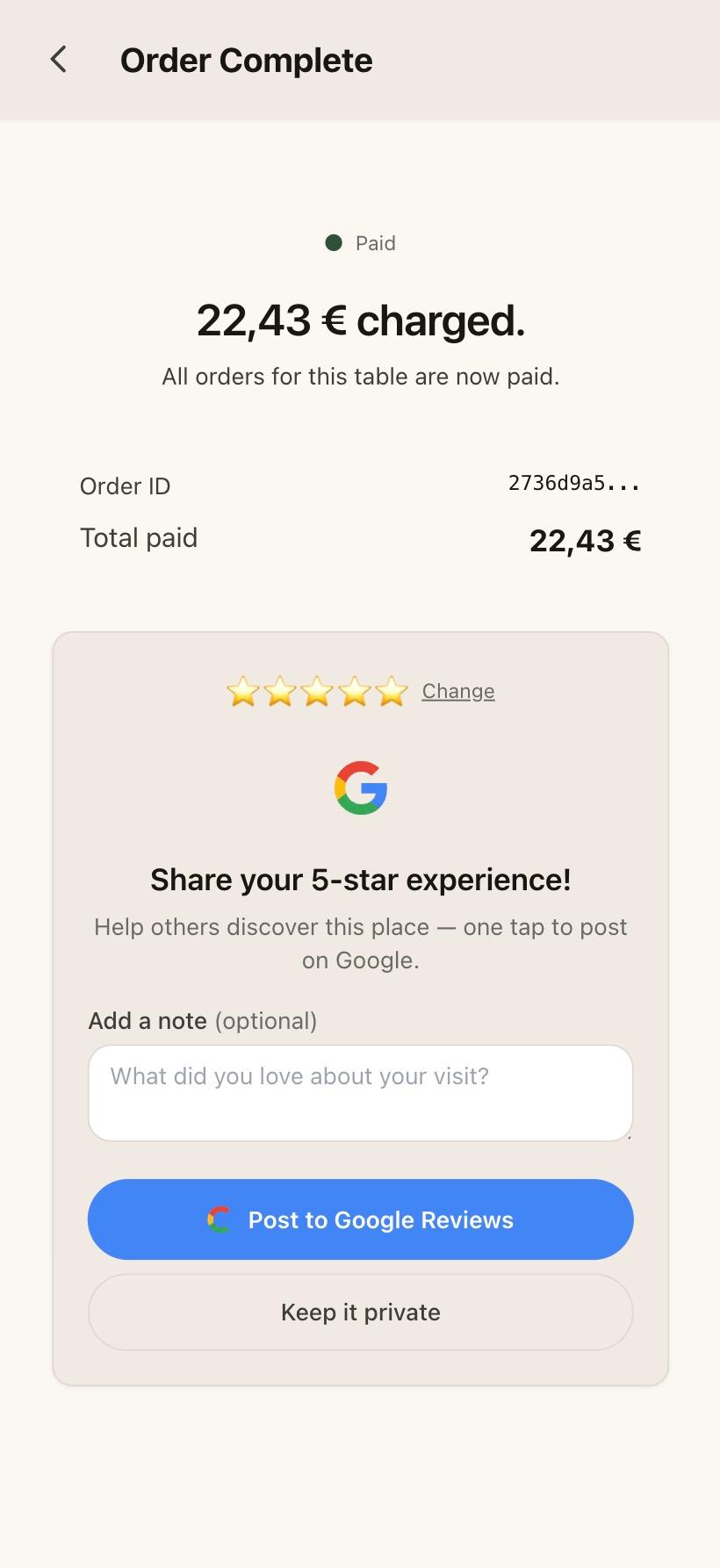
Payment confirmation. Card stays on the guest's phone.
What is in this flow
Scan, no install
Native camera opens the menu. No app store, no account, no download.
Greek and English, per item
Item names, descriptions, and modifiers live in both languages. The guest's phone picks the right one.
Split however the table wants
By item, equally between named payers, or the whole bill on one card. Switch at any point.
Tip at the end, not in the middle
Tipping appears at checkout. The amount is attributed to the staff member tied to the order, and rolls up to the shift's tip ledger.
Stripe or Viva Wallet
You choose in your dashboard settings. The guest sees a clean checkout either way.
Order on your side
Each order reaches the operator dashboard in real time, and is forwarded to your POS so the kitchen ticket prints as it always does.